The technology delivering internet to your home can influence its availability, performance, installation requirements and consistency. Fiber, fixed wireless, 5G home internet and satellite internet can all provide high-speed connectivity, but they reach your home in very different ways. This guide explains the major internet connection types and helps you determine which option may be […]
The post Full Guide to Internet Connection Types: Fiber vs. Fixed Wireless vs. 5G vs. Satellite Internet appeared first on MCSnet.
]]>The technology delivering internet to your home can influence its availability, performance, installation requirements and consistency. Fiber, fixed wireless, 5G home internet and satellite internet can all provide high-speed connectivity, but they reach your home in very different ways.
This guide explains the major internet connection types and helps you determine which option may be the best fit for your home, business and location.
Why Your Internet Connection Type Matters
Your internet plan tells you how much speed and data you are buying. Your connection type describes how that service travels from the provider’s network to your property.
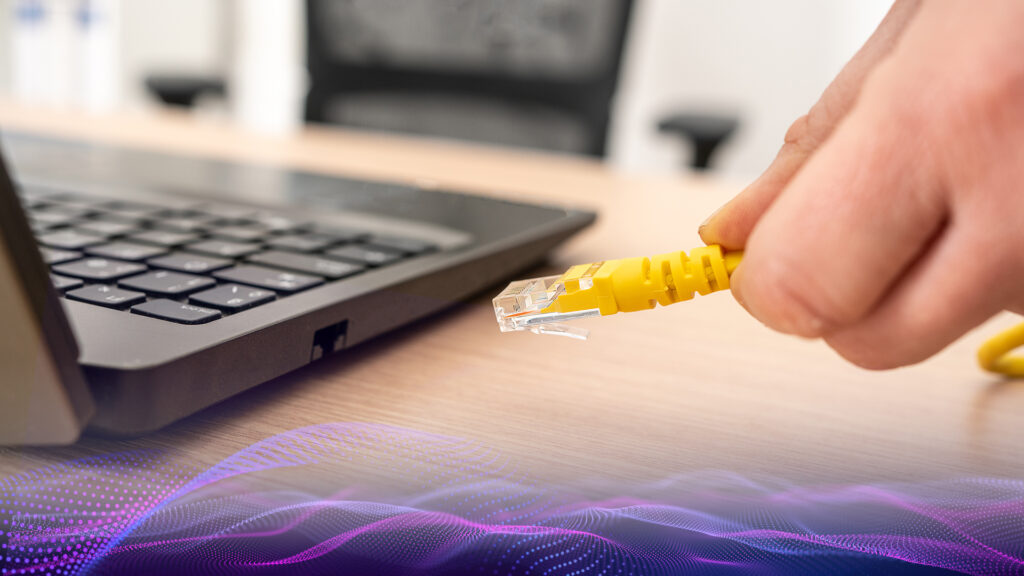
That difference matters because two plans advertising similar download speeds may not provide the same experience. Their upload speeds, latency, coverage, installation process and performance during busy periods can vary.
More than 96% of Canadian dwellings now have access to internet service meeting or exceeding the national universal service objective, but the technologies available still vary by address.
| Connection type | How it reaches your home | Key strength | Important consideration |
| Fiber internet | Data travels through fiber-optic cables | Very high capacity and strong upload performance | Not available at every address |
| Fixed wireless internet | Radio signal travels from a nearby tower to a receiver at the property | Extends high-speed internet without running cable to every home | Requires suitable coverage and, in some cases, line of sight |
| 5G home internet | A home gateway connects to a mobile 5G or LTE network | Similar setup to fixed wireless internet | Performance can depend on signal strength and network demand |
| Satellite internet | Data travels between a home dish and satellites in space | Can reach remote properties beyond terrestrial networks | Requires suitable dish placement and may have higher or more variable latency |
What Is Fiber Optic Internet?
Fiber internet uses thin strands of glass or plastic to transmit data as pulses of light. Because light can carry large amounts of information efficiently, fiber can provide very high download and upload speeds with substantial network capacity.
The CRTC describes fiber-optic internet as using light to carry data, allowing for faster speeds and greater bandwidth than many older technologies.
How Fiber Internet Works
With Fiber-to-the-Home, or FTTH, the fiber connection runs directly to the customer’s property. Inside the home, an optical network terminal converts the fiber signal into a connection that can be used by the router and household devices.
Benefits of Fiber Internet
Fiber is often a strong choice for households with demanding or simultaneous internet use. Its large capacity can support multiple people streaming, gaming, attending video meetings and uploading files at the same time.
It is also commonly associated with symmetrical or near-symmetrical plans, where upload speed is close to download speed. Strong upload performance is valuable for cloud backups, video production, security cameras and remote work.
Fiber internet is also one of the most reliable types of internet technologies because it is not affected by weather when it is buried underground.
Limitations of Fiber Internet
The main limitation is availability. Extending fiber requires physical network construction, so it may not yet reach every neighbourhood, acreage, or rural property.
Installation can also require an exterior connection point, access to the home and, in some cases, underground work. These requirements depend on the infrastructure already available at the property.
What Is Fixed Wireless Internet?
Fixed wireless internet delivers service from a provider’s tower or access point to a receiver installed at a fixed location, such as a home, farm or business. The receiver then connects to equipment inside the property, where a router distributes the connection over Wi-Fi or ethernet.
Unlike fiber, fixed wireless does not require a physical cable to be installed all the way from the network to every customer. This makes it an important high-speed internet option in rural and regional areas. The CRTC defines fixed wireless as service delivered between network towers and customers using radio waves, primarily at fixed locations.
How Fixed Wireless Internet Works
A provider connects its towers to a broader network, often using fiber or high-capacity wireless links. A radio installed at the customer’s property communicates with a nearby tower.
The quality of the connection can depend on several factors, including:
- Distance from the tower
- Available network capacity
- Radio technology
- Terrain and obstructions
- The customer’s equipment
- Signal quality at the property
Some fixed wireless systems require a clear line of sight between the receiver and the tower, while others can tolerate a degree of obstruction.
Benefits of Fixed Wireless Internet
Fixed wireless can bring high-speed service to areas where installing wired infrastructure to every property would take longer or cost significantly more. Installation is often less invasive because the provider does not need to trench a cable across the entire property.
It can also provide lower latency than connections that must travel much farther before reaching the wider internet, although actual latency depends on the provider, network, and location.
Limitations of Fixed Wireless Internet
Availability is still address specific. A provider may serve a community while being unable to connect a particular property because of distance, terrain or signal conditions.
Performance can also differ between providers because fixed wireless is a broad category covering many frequencies, network designs, and generations of equipment.
What Is 5G Home Internet?
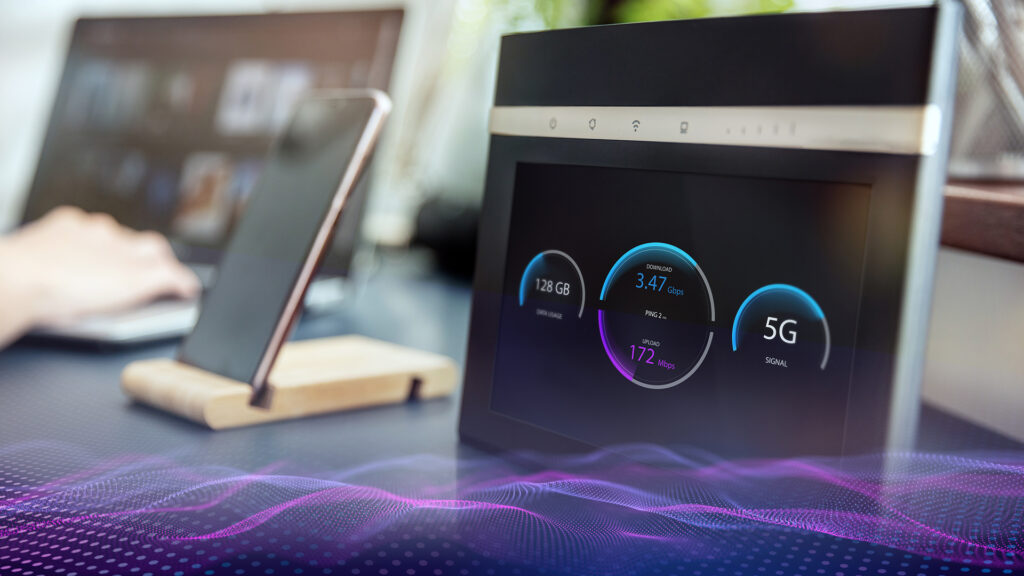
5G is a commonly-used term to describe the fifth generation of wireless cellular technology. It uses higher radio frequency bands and wider channels than 4G.
5G home internet uses a gateway installed inside or near the home to connect to a nearby mobile network. The gateway then creates a Wi-Fi network for household devices.
The system is similar to using cellular data on a phone, but the gateway is intended to remain at the service address and support the home’s regular internet use.
Benefits of 5G Home Internet
The biggest advantage is often convenience. Setup may be as simple as placing the gateway in an area with a strong signal and following instructions through an app.
It can be a practical alternative where wired internet options are limited but mobile coverage is strong. Canada’s connectivity strategy has also identified 5G-based fixed wireless as a way to expand last-mile connectivity without laying a cable to every property.
Limitations of 5G Home Internet
5G performance is highly dependent on location. Signal strength can change based on distance from the tower, building materials, terrain and where the gateway is placed inside the home.
Available capacity may also be shared with other users on the mobile network. As a result, performance can vary during periods of greater local demand.
The term “5G” does not automatically guarantee a specific speed. Users should compare the plan’s expected performance and test the service at their exact address rather than relying on the technology name alone.
Is 5G Home Internet the Same as Fixed Wireless?
5G home internet is a form of fixed wireless access, but not every fixed wireless connection uses 5G.
The term “fixed wireless” describes the broader delivery model: internet reaches a fixed property wirelessly instead of through a cable running all the way to the building. A 5G home internet service uses a provider’s mobile 5G or LTE network for that connection.
Other fixed wireless providers may use different licensed or unlicensed radio technologies, dedicated towers and equipment designed specifically for home or business broadband.
What Is Satellite Internet?
Satellite internet sends data between a dish at the customer’s property, satellites in orbit, and ground stations connected to the wider internet.
Traditional satellite systems generally use satellites positioned far above earth. Newer low-earth-orbit, or LEO, systems use groups of satellites operating closer to earth to reduce latency and increase performance.
How Satellite Internet Works
A satellite dish must be installed where it has a sufficiently clear view of the sky. The dish communicates with satellites passing overhead, which relay data through the provider’s network.
Satellite can cover locations that terrestrial networks cannot easily reach, making it a valuable option for remote homes, cabins, worksites, and mobile users.
Benefits of Satellite Internet
Its major advantage is geographic reach. Satellite service can connect properties beyond fiber, fixed wireless, and 5G cellular coverage.
Modern LEO services can also provide substantially lower latency than older geostationary satellite systems. For context, Starlink publishes expected land-based latency ranges of approximately 25 to 60 milliseconds, although performance varies by location and network conditions.
Limitations of Satellite Internet
The service requires suitable dish placement and an open view of the sky. Trees, structures, or other obstructions can interfere with the connection.
Performance may also fluctuate based on local capacity, obstructions, weather, equipment placement, and the number of customers using the network. Customers should also consider equipment costs, installation responsibilities, and available support when comparing satellite plans.
Fiber vs. Fixed Wireless vs. 5G vs. Satellite: Key Differences

Speed
Fiber generally offers the greatest capacity and highest potential speeds. Some advanced fixed wireless systems, like MCSnet’s GigAir, can also deliver fiber-like speeds, particularly where towers are supported by high-capacity fiber backhaul.
5G home internet can provide strong download performance where the signal and network capacity are good. Satellite speeds have improved considerably, but performance can vary by location and network demand.
The most useful comparison is not the highest speed each technology could theoretically achieve. It is the realistic plan available at your address, and made for your community.
Fiber typically provides the strongest upload options. Fixed wireless upload performance varies by technology and plan. Many 5G home and satellite plans are more download-heavy, with lower upload speeds than their advertised downloads.
Latency
Latency is the time it takes data to travel to its destination and return. Lower latency creates a more responsive experience for video calls, gaming, remote desktops, and cloud applications.
Fiber and well-designed terrestrial fixed wireless networks can provide low latency. 5G can also perform well when the customer has a strong connection to a nearby tower. LEO satellite has significantly reduced satellite latency, but the signal still follows a different and often longer network path.
Installation
Fiber usually requires a physical connection to the property and equipment inside the home. Fixed wireless normally requires an outdoor receiver and a signal test. A 5G gateway may be self-installed, depending on the techology. Satellite requires a dish with an appropriate view of the sky.
Professional installation is valuable when exterior equipment, cable routing, or signal alignment is involved.
Which Internet Connection Type Is Best?
There is no single connection type that is best for every property.
Choose fiber when it is available and your household needs high capacity, strong uploads or long-term scalability.
Consider fixed wireless when you need reliable high-speed service in a rural or regional area and a provider that can establish a strong connection to your property. Although, the newest fixed-wireless technology can provide fiber-like speeds and is available in more urban areas.
Consider 5G home internet when cellular coverage is strong, your usage is moderate, and you value simple setup.
Consider satellite internet when your property is beyond practical fiber, fixed wireless, or cellular coverage.
Explore MCSnet’s Advanced Internet Technologies Built for Rural Communities
MCSnet uses multiple technologies to bring reliable connection to rural properties. Depending on availability, customers may be served through Fiber Optics, Fixed Wireless or GigAir.
MCSnet is one of Canada’s largest privately-owned internet service providers and has built its own private network with more than 500 fixed wireless towers and 2,000 kilometres of buried transit fiber. That infrastructure helps connect homes, farms, communities and businesses across Northeastern Alberta and Western Saskatchewan.
MCSnet’s GigAir expands those options further. It uses high-capacity fiber or wireless connections to feed local towers, then sends the service wirelessly to a small receiver at the customer’s property. In supported communities, GigAir can provide fiber-like speeds of up to 940 Mbps without requiring the customer’s driveway or yard to be trenched.
Rather than asking customers to choose a technology without knowing what their property can support, MCSnet starts with the address. Available speeds and plans are then matched to the technology that can serve that location.
Learn more about MCSnet’s Internet Technologies
Check MCSnet availability at your address to find the internet technology and plan available for your home or business.
Frequently Asked Questions
What are the main types of internet connections?
The main home internet types include Fiber, cable, DSL, fixed wireless, 5G home internet and satellite. Availability varies by provider and address.
Is fiber better than fixed wireless internet?
Fiber generally provides greater capacity and stronger upload speeds, but advanced fixed wireless can deliver excellent performance where fiber has not reached the property. The better choice depends on the actual plans and infrastructure available at your address.
Is fixed wireless better than satellite internet?
Fixed wireless may offer a shorter terrestrial network path and professional local installation, while satellites can reach properties beyond tower-based coverage. The better option depends on signal availability, expected speeds, latency, support, and installation needs.
Is 5G home internet the same as satellite internet?
No. A 5G home gateway connects to a terrestrial mobile tower. Satellite internet connects a dish at the property to satellites in orbit.
Is 5G home internet the same as fixed wireless?
5G home internet is one type of fixed wireless access. However, many fixed wireless providers use dedicated broadband technologies and networks rather than a mobile 5G network.
Which internet connection has the fastest speeds?
Fiber typically has the highest capacity and can support very fast symmetrical service. However, actual speeds depend on the provider, plan and infrastructure available at the address. The newest fixed wireless technology can provide fiber-like speeds.
Which internet type has the lowest latency?
Fiber and terrestrial fixed wireless connections commonly provide low latency because data remains on ground-based networks. Actual results still depend on routing, congestion, equipment, and the service location.
Is satellite internet good for gaming?
Modern LEO satellites can support many online games, but latency and brief connection changes may be more noticeable in highly competitive or real-time games. Review the expected latency and performance at your location before choosing a plan.
Does fixed wireless require line of sight?
Some fixed wireless systems require a clear or near-clear path between the customer’s receiver and the provider’s tower. The provider may perform a signal test before completing installation.
Can fixed wireless provide fiber-like speeds?
Yes, some advanced fixed wireless technologies can provide fiber-like speeds when supported by sufficient spectrum, modern radios, and high-capacity backhaul. MCSnet’s GigAir, for example, can provide speeds up to 940 Mbps in supported areas.
How do I know which internet technology is available at my home?
Use the provider’s address-level availability checker. A general coverage map can identify the broader service area, but a property assessment may still be required to confirm the technology, signal, and available plan.
The post Full Guide to Internet Connection Types: Fiber vs. Fixed Wireless vs. 5G vs. Satellite Internet appeared first on MCSnet.
]]>On July 24, 2026, the Honourable Buckley Belanger, Secretary of State for Rural Development, announced $2,812,842 in federal funding allocation for MCSnet. Supported by the Universal Broadband Fund, this grant will bring high-speed internet access to rural and remote areas in western Saskatchewan. This initiative allows MCSnet to expand its high-speed internet footprint into Saskatchewan. […]
The post MCSnet expands into Saskatchewan with Fiber-to-the-Tower UBF Grant Projects appeared first on MCSnet.
]]>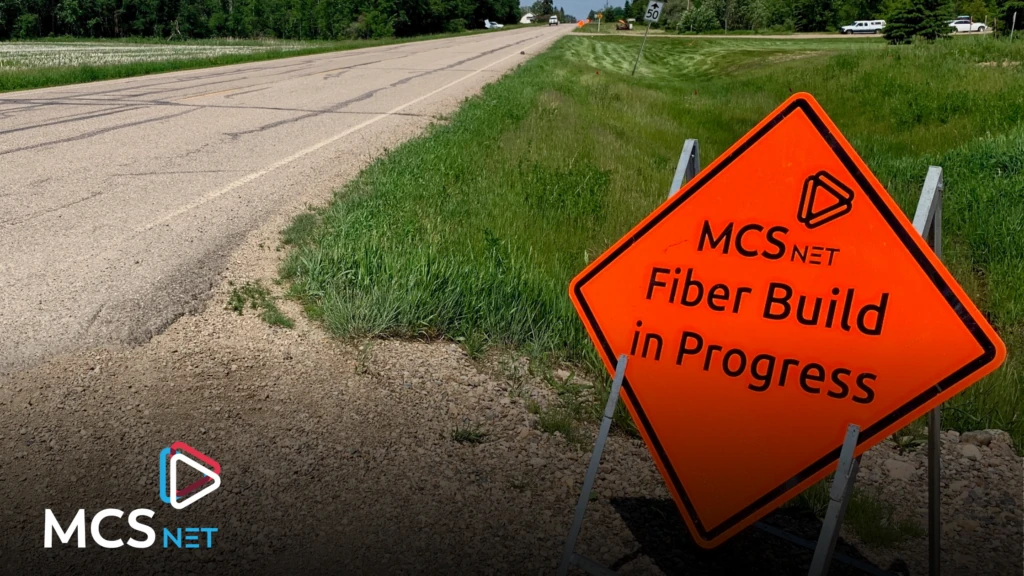
On July 24, 2026, the Honourable Buckley Belanger, Secretary of State for Rural Development, announced $2,812,842 in federal funding allocation for MCSnet. Supported by the Universal Broadband Fund, this grant will bring high-speed internet access to rural and remote areas in western Saskatchewan.
This initiative allows MCSnet to expand its high-speed internet footprint into Saskatchewan. By deploying transit fiber directly to towers in rural communities, the project ensures local residents will have access to reliable, fast internet services.
The specific communities within the MCSnet service area that will benefit include Lashburn, Maidstone, Waseca, Greenstreet, Hillmond, and surrounding areas. While MCSnet has served some of these locations for years, constructing a fiber optic backbone to these Saskatchewan towers and linking them to its larger, privately-owned network will make internet connections much stronger and faster.
“MCSnet’s Fiber-to-the-Tower expansion will deliver fast, highly reliable internet access to underserved homes in rural Saskatchewan, courtesy of a dedicated, community-invested provider. As a family-owned company, based on the prairies, we have been serving rural communities with our innovative technology and exceptional customer service for over 30 years.” – Jerome VanBrabant, Chief Projects Officer, MCSnet
Project plans are already underway with fiber and tower construction expected later in 2026.
Key Highlights
- MCSnet will connect up to 1,145 underserved households with high speed internet access.
- These connections will facilitate local business growth and increase property values.
- MCSnet remains locally owned and operated in St. Paul, Alberta.
- The Universal Broadband Fund is a $3.225 billion investment by the Government of Canada designed to help provide high-speed Internet access to 98% of Canadian households by the end of 2026 and achieve the national target of 100% access by 2030.
- Since 2015, the Government of Canada has invested more than $550 million in connectivity projects in Alberta.
Associated Links
- Government of Canada Announces Recipients for Saskatchewan UBF
- Grant Recipents Backgrounder
- Universal Broadband Fund Webpage
- High-speed internet for all Canadians
The post MCSnet expands into Saskatchewan with Fiber-to-the-Tower UBF Grant Projects appeared first on MCSnet.
]]>In today’s digital-first economy, an internet connection is no longer just a basic utility; it is the central nervous system of any successful business. Whether you are running a large-scale agricultural operation, a local hotel, or a logistics fleet, your connectivity dictates your efficiency. For businesses operating outside of major urban centers, accessing enterprise-grade internet […]
The post The Digital Lifeline: Why High-Speed Internet is Vital for Rural Businesses appeared first on MCSnet.
]]>
In today’s digital-first economy, an internet connection is no longer just a basic utility; it is the central nervous system of any successful business.
Whether you are running a large-scale agricultural operation, a local hotel, or a logistics fleet, your connectivity dictates your efficiency.
For businesses operating outside of major urban centers, accessing enterprise-grade internet has traditionally been an uphill battle. The complexities of rural geography often mean that the standard solutions provided by major telecommunications companies simply don’t bridge the gap.
If you are searching for the right business internet in rural Alberta, the decision is not just about the cheapest monthly rate; there are other key factors to consider. To understand what is at stake, we must first look at the three foundational pillars that high-speed business internet provides and then examine why finding the right local partner makes all the difference.
The Three Pillars of Modern Business Connectivity
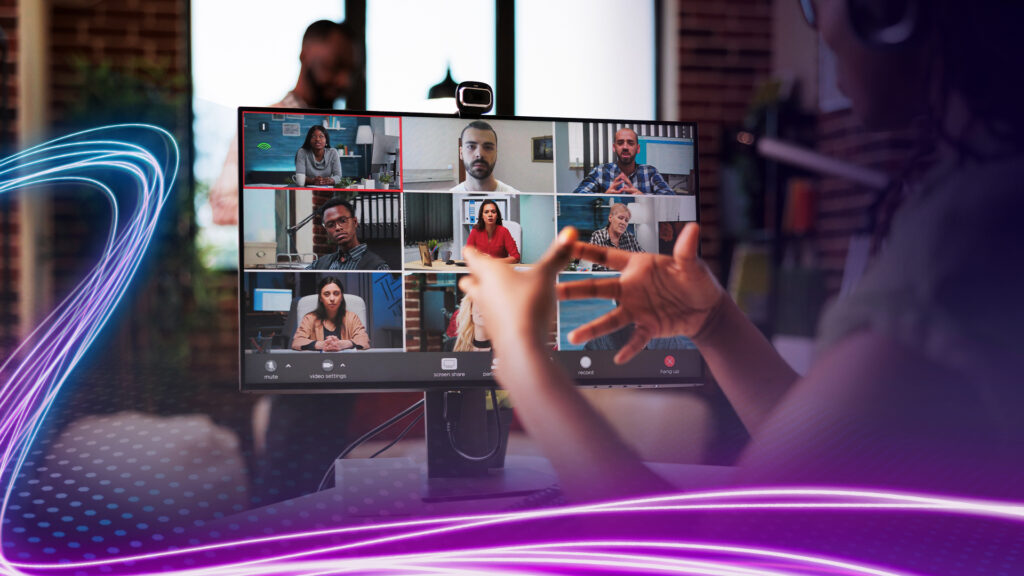
Upgrading to a high-speed, reliable network directly impacts a company’s bottom line through three core benefits:
- Saving Time: It is a universal business truth that a slow internet connection results in everything taking more time, and time is money. With high-speed internet, staff can carry out their daily digital tasks almost instantly, eliminating bottlenecks and allowing them to move quickly to the next job.
- Collaborating Better: Modern businesses run on cloud software and shared files. High-speed internet allows for improved access to shared platforms, the prompt transfer of information, and swift file sharing. When employees and customers can communicate and collaborate efficiently without lag, it translates directly into revenue growth.
- Reliability and Security: Unreliable internet connections carry real, measurable costs. Even minor unplanned downtime can bring productivity and communication to a complete halt. A secure and reliable connection ensures that a business is always online, protecting operations from costly interruptions.
The Rural Disconnect
While urban businesses take these three pillars for granted, rural enterprises often struggle to attain them.
Traditional fiber-optic cables can be prohibitively expensive or physically impossible to trench across vast rural distances or through certain terrains.
Furthermore, national providers often lack the localized support infrastructure required to quickly address outages in remote areas, leaving businesses waiting days for critical repairs.
The MCSnet Difference: Engineered for Rural Alberta
This is where a specialized, local approach becomes essential. MCSnet is built specifically to address the unique complexities of rural business internet. We recognize that rural businesses need the exact same high-performance connectivity as their urban counterparts, but delivered through innovative methods and backed by localized support.
Here is how MCSnet stands apart in the rural market:
- Fiber Speeds Without the Digging: For towns, hamlets, and industrial parks where trenching fiber isn’t feasible, MCSnet offers GigAir. This new form of wireless technology provides gigabit speeds that match fiber-optic internet, but with a quick, non-invasive installation that doesn’t require digging up the ground.
- Unmatched, Localized Support: When downtime costs money, waiting on hold with a national call center isn’t an option. MCSnet provides a dedicated support line for all corporate plans, offering around-the-clock technical support and same-business-day onsite repairs to ensure you don’t experience lengthy interruptions. Our neighbourly team is based right here in St. Paul, Alberta.
- Tailored, Dedicated Connections: Unlike residential networks where bandwidth is shared, our corporate fiber and dedicated point-to-point connections are fully dedicated to your business. Corporate plans also offer up to 10 static IP addresses and Service Level Agreements (SLAs) with a 99.9% uptime guarantee for peace of mind.
- A Community-Minded Partner: We believe in growing the regions we serve. As Darren Wiebe, IT Manager at Horizon Ag and Turf notes, “It’s a privilege to deal with a well-respected local company that understands our needs”. We actively partner with local municipalities, such as the County of St. Paul, to install towers and expand fiber networks into underserved areas.
Types of Businesses Relying on MCSnet Business Internet For Smooth Operations
MCSnet supports a wide range of businesses, public organizations, and community institutions across rural and regional Alberta. These customers reflect the diversity of the communities MCSnet serves.
Agriculture and Heavy Equipment
Agricultural businesses depend on reliable internet to manage equipment, inventory, logistics, customer communication, and day-to-day operations. MCSnet supports farms, agricultural suppliers, machinery dealerships, grain companies, crop operations, and local co-operatives.
Automotive and Mechanical Services
Automotive and mechanical businesses use dependable internet to support bookings, diagnostics, payments, parts ordering, customer service, and internal systems. This includes repair shops, tire shops, dealerships, and other vehicle service providers.
Oil, Gas, and Industrial Operations
Industrial businesses often need strong, dedicated connections for remote sites, field operations, data systems, security, and communication. MCSnet supports companies in oil and gas, pipeline services, manufacturing, recycling, transportation, and other industrial sectors.
Municipalities and Public Services
Municipalities and public organizations rely on internet to manage administration, public works, utilities, emergency services, community facilities, and public communication. MCSnet supports local governments, public service facilities, emergency response operations, and critical infrastructure.
Healthcare and Wellness
Healthcare and wellness providers need secure, reliable connectivity for scheduling, records, communication, billing, and patient or client services. MCSnet supports pharmacies, clinics, diagnostic services, veterinary practices, care facilities, and wellness organizations.
Hospitality and Housing
Hotels, motels, campgrounds, lodges, and housing organizations need internet to support guests, residents, bookings, payments, operations, and administration. MCSnet helps these organizations stay connected and provide better service.
Professional Services
Professional offices depend on internet for client communication, file sharing, cloud software, secure systems, and daily administration. MCSnet supports law offices, accounting firms, registries, insurance offices, consultants, and other professional service providers.
Retail and Consumer Goods
Retail businesses need reliable internet for point-of-sale systems, inventory management, online orders, customer communication, and payment processing. MCSnet supports grocery stores, pharmacies, hardware stores, convenience retailers, and other local shops.
Education and Learning
Schools and education-focused organizations rely on strong connectivity for learning tools, administration, communication, and online resources. MCSnet supports schools, education divisions, training centres, and learning facilities across rural communities.
Media, Recreation, and Community Spaces
Media companies, recreation facilities, golf courses, cultural spaces, and community venues all need internet to operate smoothly, serve visitors, and manage events. MCSnet supports organizations that help keep rural communities active, informed, and connected.
How MCSnet Supports Municipalities and Governments
Municipalities and government organizations rely on reliable internet to manage essential services, infrastructure, public safety, and community operations. MCSnet supports these needs through reliable rural business internet and local infrastructure partnerships.
- Essential Infrastructure and Public Safety: MCSnet provides dedicated connections for utilities, emergency services, public safety operations, and critical community infrastructure.
- Administrative and Public Works Facilities: MCSnet supports municipal offices, public works shops, operations centres, transportation facilities, and visitor information spaces with reliable business internet.
- Consolidated Communications: MCSnet helps local governments combine internet and corporate phone services to keep departments, staff, and service teams connected.
- Community Connectivity: MCSnet partners with municipalities to expand internet access in underserved areas and support public Wi-Fi in community spaces.
- Infrastructure Collaboration: MCSnet works with local governments on tower sites, co-location opportunities, and shared infrastructure that help improve rural connectivity.
Powering Small and Medium-Sized Businesses
Small and medium-sized businesses are the backbone of rural and regional communities. From local shops and trades to agricultural operations, service providers, hospitality businesses, and professional offices, these organizations depend on reliable internet to keep their daily operations moving.
MCSnet supports SMBs with business internet solutions that help them manage payments, bookings, customer communication, inventory, online tools, security systems, and cloud-based software. Whether a business is serving local residents, visitors, suppliers, or remote teams, dependable connectivity helps reduce downtime and improve efficiency.
Across northeastern and central Alberta, and into nearby Saskatchewan border communities, MCSnet helps rural and urban businesses access the speed and reliability they need to compete, grow, and serve their customers with confidence.
Supporting Local Organizations and Community Hubs
MCSnet also plays an important role in connecting the organizations that bring rural communities together. This includes agricultural societies, community halls, cultural associations, recreation spaces, daycares, campgrounds, and other local gathering places.
These organizations rely on internet to manage events, coordinate volunteers, communicate with families, process bookings, support visitors, and keep community programs running smoothly.
By providing reliable connectivity to these local hubs, MCSnet helps strengthen the places where people gather, learn, celebrate, work, and connect. It is one more way MCSnet supports the communities it serves beyond business alone.
Connect With a Provider Who Understands
Your business deserves an internet provider that views rural geography as a landscape of opportunity, not an inconvenience.
If you are ready to upgrade your operations, our Business Advisors will work with you to deliver the best internet services available to your specific area. Call us toll-free at 1-866-390-3928 ext. 1 or email corporate@mcsnet.ca to get started today.
The post The Digital Lifeline: Why High-Speed Internet is Vital for Rural Businesses appeared first on MCSnet.
]]>When dealing with slow internet, buffering, lag, or Wi-Fi that feels overloaded, most people assume the problem is always internet speed. Sometimes it is. But just as often, the issue can be bandwidth or the way your household is sharing the connection across multiple devices. Understanding the difference between internet speed and bandwidth can help […]
The post Internet Speed vs. Bandwidth: What It Means And How It Affects Your Connection appeared first on MCSnet.
]]>
When dealing with slow internet, buffering, lag, or Wi-Fi that feels overloaded, most people assume the problem is always internet speed. Sometimes it is. But just as often, the issue can be bandwidth or the way your household is sharing the connection across multiple devices.
Understanding the difference between internet speed and bandwidth can help you make smarter decisions about your home network and plans. It can also help you compare options like fixed wireless, fiber, and satellite more clearly.
The Canadian Radio-television and Telecommunications Commission universal service objective remains 50 Mbps download, 10 Mbps upload, and unlimited data, while Alberta continues to expand high-speed access in rural areas, where connection types can still vary widely by property.
This article provides a guide to understanding internet speed vs bandwidth and how that affects your everyday connection.
What Is Bandwidth: The Highway To Your Home
The easiest way to understand bandwidth is to think of it as capacity. Bandwidth is the amount of data your connection can carry at the same time. In simple terms, it is the size of the pipeline between your home and the internet.
A common way to picture this is the highway analogy. If your internet connection is a highway, bandwidth is the number of lanes. A wider highway can handle more vehicles at once. In the same way, a connection with more bandwidth can handle more devices, streams, uploads, and downloads at the same time without becoming crowded.
That is why bandwidth matters so much in real life. A home with one person checking email and browsing the web does not need the same capacity as a home where one person is streaming in 4K, another is on a work VPN, someone else is gaming, and a few smart devices are also connected in the background.
The problem in that second scenario is not always that the internet is “slow.” It may be that too many activities are trying to use the available capacity at once.
What Is Internet Speed? The Speed Limit Of Your Data
Internet speed is different. It refers to how fast data moves across that connection. It is usually measured in Megabits per second (Mbps). You will often see two numbers: download speed and upload speed.
Download speed affects how quickly you can receive data from the internet. That matters for streaming, browsing, loading websites, and downloading files. Upload speed affects how quickly you can send data out, which matters for video calls, uploading photos and videos, cloud backups, and sending large files.
Going back to the highway example, if bandwidth is the number of lanes, internet speed is the speed limit on those lanes. A road with a high speed limit can move traffic faster, but if there are not enough lanes, traffic can still pile up. In the same way, a fast internet plan can still feel strained when too many devices are competing for the same connection at once.
Why Bandwidth Is Important For Rural Alberta Homes. Not Just Speed
In many households, the internet is no longer used by one computer at a time. It supports TVs, phones, tablets, laptops, gaming consoles, smart speakers, cameras, and work devices all at once. Even if the plan’s top speed looks fine on paper, the connection can still feel crowded if the available capacity is being shared across too many devices.
That is why households often say they have a “slow internet connection” when what they are really experiencing is congestion inside the home. The connection may have enough raw speed for one or two activities, but not enough room for everything happening at once.
This matters even more in rural Wi-Fi environments where the connection is already being stretched across larger properties or multiple users.
How To Check Your Internet Speed

If your connection feels weak, the first step is to test it properly. A speed test can show how much download speed, upload speed, and latency you are actually getting. These can help you determine where your internet performance problem is coming from.
For rural Alberta households, there are various tools that measure internet performance in real network conditions. These tools can test not just speed, but also quality indicators that help explain why the internet might feel poor even when a basic speed number looks acceptable.
When you test your connection, it helps to:
- Run the test more than once
- Test at different times of day
- Test near the router and farther away
- Pause heavy downloads or streaming before testing
- Compare Wi-Fi results with a wired connection if possible.
Read our blog on How to Test Internet Speed, to learn more. For users who prefer tools like Ookla, read our blog on A Guide to Internet Speed Tests With Ookla (speedtest.net).
If the results are consistently much lower than expected, the issue could be the plan, the in-home network, or the connection type available at your property.
How Internet Service Providers Impact Bandwidth
Internet Service Providers (ISPs) play a critical role in bandwidth by building and managing the infrastructure that delivers capacity to your home. For example, ISPs in rural areas deploy various technologies like fiber, fixed wireless, and satellite, and the type of connection available at your property dictates your potential bandwidth.
Key ways ISPs impact bandwidth:
- Capacity Expansion: Providers like MCSnet actively invest in and build infrastructure, such as laying fiber optic cable between towers, specifically to increase the overall broadband capacity of their fixed wireless network and offer enhanced services.
- Bridging the Digital Divide: ISPs secure grants, like the Universal Broadband Fund (UBF), to fund large fiber optic projects that improve broadband access, which in turn provides higher capacity and reduces congestion in rural communities.
- Network Management and Allocation: ISPs must manage the available network resources. For instance, some providers must carefully allocate bandwidth, as removing data limits across the board could potentially undermine performance for all customers.
- Setting the Available Options: Ultimately, the customer must choose a plan and connection type offered by the ISP that matches their household’s real usage, device load, and location, making the ISP’s offerings the practical limit of available bandwidth.
The Customer’s Role in Maximizing Bandwidth
While your ISP handles the connection to your property, you have significant control over how bandwidth is used inside your home. By managing your local network and device settings, you can maximize the effective capacity you receive:
- Prioritize Wired Connections: For stationary devices like gaming consoles, smart TVs, and desktop computers, use an Ethernet cable where possible. Wi-Fi is inherently slower (on average 30% slower than a cabled connection) and prone to signal fluctuations, whereas a wired connection is faster, more reliable, and provides better latency.
- Extend Wi-Fi with Cabled Access Points: If you notice poor Wi-Fi signals in parts of your home, use additional cabled access points (like extra MCSnet routers) to extend the signal. These access points must be cabled to the original router.
- Manage Streaming Quality: Streaming services often default to an “Auto” setting, which can consume a high amount of bandwidth. Adjust the playback settings on streaming accounts through their respective apps or websites to conserve bandwidth, which can make up to a tenfold difference in traffic.
- Monitor Device Usage: Subscribers can utilize management tools to view bandwidth usage per device, see live and historical stats, and run speed tests. These features help you gain insight and control of your home network, cutting down on congestion.
Getting The Right Internet Plan For Your Property
You cannot always control every part of the network, especially in rural areas where geography and infrastructure play a bigger role. But you can make better decisions when you understand the difference between speed and bandwidth.
If one or two people in your home use the internet lightly, your needs may be simple. But if your household has multiple connected devices, streams video often, works from home, games, or relies on smart home tools, bandwidth becomes just as important as speed. That is when choosing the right rural internet plan starts to make a real difference in everyday performance.
The goal is not just faster internet on paper. It is a connection that fits the way your home actually lives online. MCSnet optimizes its privately-owned network by adding redundant 100 Gbps paths and diverse data centre locations. MCSnet has also invested millions of dollars locally to ensure your connections are optimized for speed and bandwidth.
Make Our Website Your Preferred Source on Google
If you find this blog helpful, please add our website to your Preferred Sources on Google to get recommendations from our blog the next time you are searching for internet-related solutions.
- Click this link: Add to Preferred Sources
- Type Mcsnet in the search bar, and check off MCSnet.
Frequently Asked Questions On Bandwidth vs Internet Speed
What is the difference between bandwidth and internet speed?
Bandwidth is the amount of data your connection can handle at one time. Internet speed is how fast data moves. A simple way to think about it is this: bandwidth is the number of lanes on the highway, and speed is how fast traffic moves in those lanes.
Why does my internet feel slow even when my speed test looks good?
If your speed test looks fine but your internet still feels slow, the issue may be bandwidth congestion in the home. Too many devices streaming, gaming, uploading, or using video calls at the same time can make the connection feel overloaded. It could also depend on your provider. If the network is crowded by users, your internet will slow down, unless network contingencies have been put in place.
Does more bandwidth mean faster internet?
Not exactly. More bandwidth means your connection can handle more activity at once. It does not automatically make one device faster, but it can improve the overall experience in homes with multiple connected devices. If your ISP has optimized its network traffic as MCSnet does, you should also notice a difference.
What causes buffering in homes?
Buffering can happen when your download speed is too low, when too many devices are using the connection at once, or when your Wi-Fi network is struggling to keep up. It could also be the host network or platform. The Sportsnet+ app while streaming is known for server issues.
How many connected devices can affect my internet?
Every connected device uses part of your available bandwidth. Smart TVs, phones, tablets, gaming consoles, security cameras, smart speakers, and laptops all add up, especially when several are active at the same time.
What is a good internet speed for a rural Alberta household?
That depends on how your household uses the internet. A smaller home with light browsing and email needs much less than a home with multiple people streaming, gaming, working from home, and using smart devices all at once. In Canada, the CRTC’s universal service objective remains 50 Mbps download, 10 Mbps upload. MCSnet averages 400 Mbps download across its network.
How can I test my internet speed?
You can use a speed test tool such as fast.com or speedtest.net to check your download speed, upload speed, and latency. It is best to test more than once, at different times of day, and both near your router and farther away in the home.
Can Wi-Fi make my internet feel slower?
Yes. Even if your internet plan is strong, poor router placement, interference, or distance from the router can make your Wi-Fi feel slower than it should.
What internet option is best for rural Alberta?
The best option depends on your location and what is available at your property.
When should I upgrade my internet plan?
It may be time to upgrade if you deal with regular buffering, dropped video calls, slow uploads, or too many devices competing for bandwidth at once. If your plan is limited by speed, you may need to upgrade to the next tier.
How do I choose the right internet plan for my property?
Start by thinking about how many people use the internet, how many devices are connected, what kinds of activities happen online, and whether your issue is speed, bandwidth, or both. Then compare plans based on what is actually available at your location.
The post Internet Speed vs. Bandwidth: What It Means And How It Affects Your Connection appeared first on MCSnet.
]]>When people shop for internet plans, they usually look at one number first: speed. But there are really two different speeds that matter: download speed and upload speed. Understanding the difference can help you choose the right internet plan, especially if your household does more than basic browsing. Streaming 4K movies, working from home, joining […]
The post Upload Speed vs. Download Speed: 2026 Guide and Full Breakdown appeared first on MCSnet.
]]>
When people shop for internet plans, they usually look at one number first: speed. But there are really two different speeds that matter: download speed and upload speed.
Understanding the difference can help you choose the right internet plan, especially if your household does more than basic browsing. Streaming 4K movies, working from home, joining Zoom calls, uploading files to the cloud, gaming, and running smart devices all place different demands on your connection.
This is one of the most common questions we hear from customers: Do I need more upload speed, more download speed, or both? This guide breaks it down in simple terms.
What is the Main Difference Between Upload Speed and Download Speed?
Download speed is how fast your internet connection can receive data from the internet to your device.
Upload speed is how fast your internet connection can send data from your device to the internet.
Both are measured in Mbps, which stands for megabits per second. The higher the Mbps, the more data your connection can move in a second.
Now let’s dive deeper into these types of speeds and what you need to know when making your choice.
What is Download Speed?
Download speed is the speed your connection uses to bring information to you. When you hit play on Netflix, open a website, or install a software update, your connection is downloading data. This is why download speed is usually the number people notice first.
Common Activities That Rely on Download Speed
The most common download-heavy activities include:
- streaming Netflix, YouTube, and other video platforms
- browsing websites
- loading apps and social media feeds
- downloading files, movies, and software updates
- streaming music
- online gaming downloads and patches
Video is one of the biggest drivers of data use and download demand. Netflix says recommended speeds are 3 Mbps for HD and 15 Mbps for 4K/Ultra HD streaming. Netflix also says 4K streaming can use up to 7 GB per hour. Read our blog on How Much Data and Internet Speed Streaming Platforms Use, to learn more.
What is a Good Download Speed?
A “good” download speed depends on how many people and devices are using the internet at the same time and what kind of activities they are using it for.
As a practical rule of thumb:
- 25+ Mbps can work for a light-use household with 1 or 2 users
- 50+ Mbps is better for a slightly bigger household with HD streaming, remote work, and a few connected devices
- 100+ Mbps is a strong fit for larger households, multiple simultaneous streams, and heavier daily use
- Higher speeds make even more sense for households doing 4K streaming, game downloads, and lots of connected-device activity
The Federal Communications Commission of the United States household guide shows that speed needs rise quickly as device counts and simultaneous use increase. For a practical plan comparison and guide on how much internet download speed you need for common activities, see MCSnet’s 2026 Internet Buyer’s Guide.
What is Upload Speed?
Upload speed is the speed your connection uses to send information from you to the internet.
If you upload a video to the cloud, share a large file, turn on your camera for a work call, or back up your phone photos, you are using upload speed.
Common Activities That Rely on Upload Speed
The most common upload-heavy activities include:
- Zoom and Teams video calls
- uploading large files to Google Drive, Dropbox, or OneDrive
- sending large email attachments
- cloud backups
- posting videos to social media
- livestreaming
- online gaming voice chat and cloud syncing
- security cameras sending footage to the cloud.
Zoom’s official guidance shows that even standard video calls need steady upload capacity. For example, 1:1 HD video can need about 1.2 Mbps up, while 1080p calls can need 3.0 Mbps up. Group HD calls can also require more.
What is a Good Upload Speed?
According to this SpeedTestNet article, for many homes, 10 Mbps upload is a good starting point for smoother remote work, file sharing, and video calls. But the real answer depends on what you upload and how many people are doing it at once.
If your household works from home often, upload speed matters much more than many people expect. For rural households, this is especially important when multiple people are online at once. You can also compare options in MCSnet’s rural internet plans in Alberta. For a guide on how much internet upload speed you need for common activities, see MCSnet’s 2026 Internet Buyer’s Guide.
Upload Speed vs. Download Speed: Key Differences
Here is the simplest way to compare upload vs download speed:
| Factor | Download Speed | Upload Speed |
| Direction | Internet to your device | Your device to the internet |
| Main use | Streaming, browsing, downloading | Video calls, uploads, backups, livestreaming |
| Typical priority for most homes | Higher | Lower |
| Impact if slow | Buffering, slow downloads, laggy streaming | Frozen Zoom calls, slow file uploads, poor livestream quality |
| Who needs more | Streamers, large households, frequent downloaders | Remote workers, creators, gamers with voice chat, cloud-heavy users |
| Typical setup on many plans | Faster than upload | Slower than download |
Quick Summary: Does Upload or Download Speed Matter More?
For most households, download speed matters more because most people spend more time consuming content than creating it. Streaming, browsing, and downloading all rely heavily on download speed.
But upload speed becomes much more important if you:
- work from home
- make frequent video calls
- upload large files
- use cloud storage often
- stream live content
- have security cameras or other smart devices sending data out
A simple way to think about it:
- Download speed = best for watching, browsing, streaming, and downloading.
- Upload speed = best for working, calling, sharing, backing up, and creating.
What Internet Usage Category Does Your Household Fall Under?
The best internet speed for your home depends on how you actually use the internet, not just the biggest speed number on the page. See an example of a household usage categorization:
Light Usage
Light usage usually includes:
- web browsing
- online banking
- music streaming
- social media
- occasional video streaming
For this type of use, you may not need extremely high speeds. A lower-speed plan can still work well if only one or two people are online and the household is not doing much HD or 4K streaming at the same time.
Moderate Usage
Moderate usage often includes:
- HD streaming
- remote work
- Zoom or Teams meetings
- multiple phones and laptops
- smart TVs
- occasional gaming
This is where many modern households land. In this range, both download and upload speed start to matter more.
Heavy Usage
Heavy usage often includes:
- multiple 4K streams
- frequent game downloads and updates
- livestreaming
- large cloud backups
- security cameras
- several users online at once
If your home fits this category, slower upload speeds can become a bottleneck even if your download speeds look fine on paper. A faster plan, and ideally one with stronger upload speed, usually creates a noticeably better experience.
For a practical plan comparison and guide on how much upload and download internet speed you need for common activities, see MCSnet’s 2026 Internet Buyer’s Guide.
For a related read, see MCSnet’s guide on how much data and internet speed streaming platforms use.
Asymmetrical Internet Plans: Why is My Upload Speed Slower Than My Download Speed?
Many internet plans are asymmetrical, which means download speeds are higher than upload speeds.
This is common because the average household usually downloads far more than it uploads. People stream, browse, and download more often than they upload large files. Business internet and fiber services are more likely to offer near-symmetrical or symmetrical performance.
That is why you might see an internet plan advertised with very strong download speeds, but much lower upload speeds.
When Do Symmetrical Speeds Matter
Symmetrical internet speeds mean your upload and download speeds are the same, such as 100/100 Mbps or 1 Gbps/1 Gbps.
This matters most for people who do a lot of sending as well as receiving, including:
- content creators
- remote teams
- businesses
- streamers
- households that upload large files often
- homes with multiple cloud-connected cameras
- people backing up large amounts of data regularly
If your home mostly streams and browses, symmetrical speeds may not be essential. But if your household creates, uploads, shares, and collaborates online every day, symmetrical internet speeds can make a difference.
How to Test Your Current Internet Speeds
The easiest way to check your current connection is to run a speed test.
Popular tools include:
- Speedtest by Ookla
- Fast.com
- Your internet provider may have its own test tool.
- For MCSnet users, you can Test Your Internet Speed and learn more about your speed here.
Fast.com is run by Netflix and focuses on download speed first, while also offering upload and latency testing. Netflix says it is designed to be a quick way to estimate the speed your ISP is delivering.
For the most useful result:
- test on a wired connection if possible
- pause downloads and streaming before testing
- run the test more than once
- test at different times of day
- compare results in the same room and farther from your router.
If you want to learn more about speed tests and how to properly do an internet speed test for more accurate results, read the MCSnet blog on How to Test Internet Speed. To learn more about how to do a speed test, using Ookla, read the MCSnet Guide to Internet Speed Tests With Ookla (speedtest.net).
How to Increase Your Upload and Download Speeds
Sometimes the issue is not the plan itself. Your setup can also affect performance.
Use a Wired Ethernet Connection
A wired Ethernet connection is usually more stable than Wi-Fi and can help reduce speed loss, interference, and latency. Zoom specifically recommends switching to a wired connection when Wi-Fi performance is poor.
Improve Router Placement
Router placement matters more than many people think. In general, it helps to place your router in a central location, off the floor, away from thick walls, away from metal objects and away from appliances that may cause interference. A better router location can improve coverage and consistency across the home.
Close Bandwidth-Heavy Applications
Background downloads, cloud sync tools, large updates, streaming apps, and many open devices can all compete for bandwidth. Closing or pausing them before important calls or uploads can help.
You may also want to restart your router, update your router firmware, reduce the number of devices using the network at once, check for device or app updates running in the background and review whether your current plan still matches your household usage.
Learn more about Connection Troubleshooting using MCSnet or the MCSnet router.
To learn more about the MCSnet internet plans best for your household, visit our Internet Plans.
Conclusion: Choosing the Right Internet Plan
When comparing internet plans, do not focus only on the biggest download number.
Instead, ask:
- Do we mostly consume content, like streaming and browsing?
- Or do we also create, upload, call, back up, and work from home?
If your household mainly watches, scrolls, and downloads, download speed will matter most. If your household regularly sends files, joins video meetings, uploads content, or needs better two-way performance, upload speed becomes much more important.
The best plan is the one that matches the way your household actually uses the internet.
For more help learning about internet upload and download speeds and choosing the right fit, explore:
- MCSnet 2026 Internet Buyer’s Guide
- Rural Internet Plans Alberta
- How Much Data and Internet Speed Do Streaming Platforms Use?
Frequently Asked Questions
What is more important: upload or download speed?
It depends on what you do online. Download matters more for streaming and browsing. Decent upload speed matters more for video calls, file sharing, and cloud backups.
What is a good download speed for a home?
For most households that are light to moderate users, 25 to 100 Mbps is enough for everyday use. Larger households or homes streaming in 4K may need more.
What is a good upload speed for working from home?
A good starting point is 10 Mbps upload. More is better if you do frequent video calls, upload large files, or have multiple people working from home.
Do I need a fast upload speed for Zoom or Teams?
Yes. Video calls use both upload and download speed. A weak upload speed can cause freezing, lag, or poor video quality.
Is 25 Mbps fast enough?
It can be for light use, like browsing, email, and one or two streams. It may not be enough for larger households or heavier use.
Is 100 Mbps enough for Netflix and streaming?
Yes, for many households it is. It is usually enough for multiple HD streams and regular daily use, depending on how many people are online.
Does 4K streaming need more speed?
Yes. 4K streaming uses much more bandwidth than HD, so faster download speeds help prevent buffering.
Does upload speed matter for gaming?
Yes, but usually less than download speed and latency. Upload matters more for voice chat, livestreaming, and sending game data.
Why is my internet fast for downloads but slow on video calls?
Your plan may have a much lower upload speed than download speed. Wi-Fi issues can also affect call quality.
Why is my upload speed lower than my download speed?
Many internet plans are built that way. Most households download more than they upload, so providers often prioritize download speed.
Do I need symmetrical internet speeds?
Not always. They are most helpful for creators, remote workers, businesses, and households that upload a lot of data.
Does Wi-Fi affect my speed test results?
Yes. Wi-Fi can be slower than a wired connection, especially if you are far from the router or dealing with interference.
Will a better router improve my speeds?
It can improve Wi-Fi performance, coverage, and consistency. But it will not increase your plan’s maximum speed beyond what your provider delivers.
Why does my speed change during the day?
Speeds can vary based on network traffic, Wi-Fi conditions, device activity, and the number of people online at the same time.
How do I know if I need a faster plan?
If you deal with buffering, slow downloads, poor video calls, or multiple people competing for bandwidth, it may be time to upgrade.
The post Upload Speed vs. Download Speed: 2026 Guide and Full Breakdown appeared first on MCSnet.
]]>Do you use video streaming platforms like Netflix, and how often? Do you do any online gaming? Are you a basic internet user? These are just some of the questions we ask customers when they call in to sign up for internet services. For instance, if a family of four is signing up for MCSnet […]
The post How Much Internet Do I Need? appeared first on MCSnet.
]]>
Do you use video streaming platforms like Netflix, and how often? Do you do any online gaming? Are you a basic internet user? These are just some of the questions we ask customers when they call in to sign up for internet services.
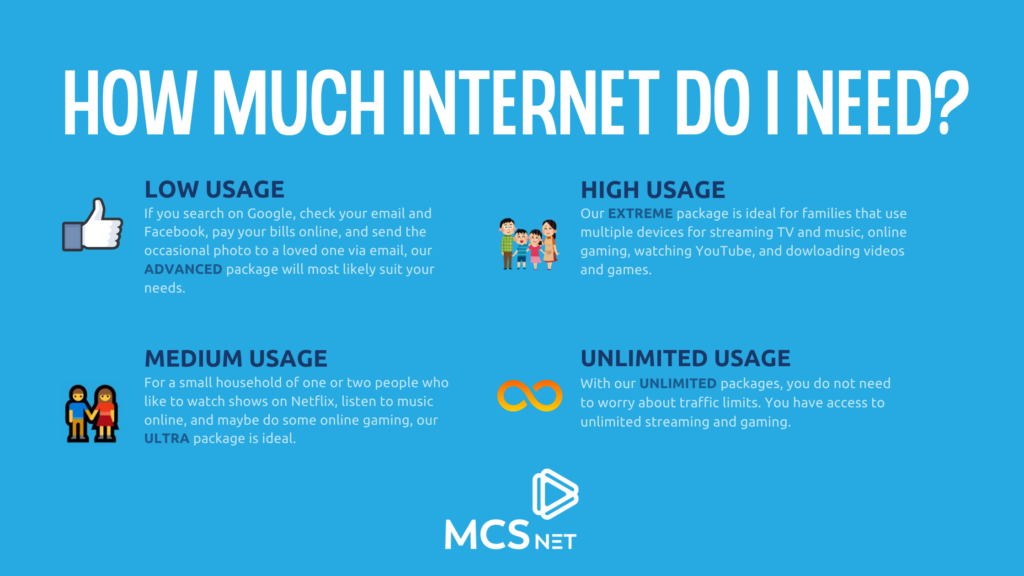
For instance, if a family of four is signing up for MCSnet services and they each have a phone and/or tablet, they all want to stream Netflix on their smart TV or through their gaming console, and a couple of them want to do some online gaming, we would most likely suggest our Extreme to Unlimited package which provides enough traffic month to cover heavy usage. However, our recommendation may defer if it’s a household with low internet data usage.
According to the Canadian Radio-television and Telecommunications Commission (CRTC), data consumption among residential high-speed internet subscribers has increased substantially in recent years, with the average downloaded data per month per subscription in 2025 being estimated to be over 500 GB, a 126% increase from 2019. This means that the average internet data usage has significantly increased, and households need internet plans and offerings that take this into account.
Internet Data Consumers In Households
The biggest data hogs are streaming videos and downloading video games, movies, or software updates. Netflix alone can use up to 7 GB of data per hour if you are watching in Ultra HD. And one video game download can eat up to 50 GB of your monthly traffic limit.
Video Streaming
GlobalWebIndex reports that 92 percent of internet users now watch videos online each month, meaning that more than four billion people around the world are consuming online video content almost daily.
Streaming platforms like Netflix have accounted for heavy video streaming in households, and Netflix data usage varies significantly based on resolution, with high-definition (HD) streaming consuming roughly 3 GB per hour, while 4K Ultra HD can consume up to 7 GB per hour. Standard Definition (SD) is much more efficient, using around 0.7 GB to 1 GB per hour.
Here is a chart outlining estimated monthly data usage based on streaming 2 hours a day for 30 days. This includes one user and doesn’t take into account the amount of data the other members of your household are using.
Netflix Monthly Data Usage Chart (2 Hours/Day)
| Quality | Data per Hour | Estimated Monthly Data (60 Hours) |
| Low (Basic) | ~0.3 GB | ~18 GB |
| Medium (SD) | ~0.7 GB | ~42 GB |
| High (HD/1080p) | ~3.0 GB | ~180 GB |
| Ultra HD (4K) | ~7.0 GB | ~420 GB |
Netflix and other streaming apps do allow you to adjust playback settings. But with most televisions boasting HD and 4K definition resolution in their specs, many users prefer to watch movies and TV series at resolutions better than the standard definition.
Online Gaming
Online gaming typically consumes between 40 MB and 300 MB of data per hour, depending on the video game and the playback settings, this is according to Jetpac Global. This is significantly less than video streaming. Usage varies by game type; fast-paced shooters like Call of Duty take up to 160MB+, while slower, open-world, or mobile titles use less data, but increase with high player counts, high-tick-rate servers, and active voice chat.
Downloading a game is a different story. Since most games need to be downloaded, one game could use up to 50 GB in a single download. And remember that many of these games need to be updated as well, which is another download and more GB.
Smart Home
In smart homes, devices such as home security and whatever new technology comes our way contribute to the increasing need for data and reliable high-speed internet.
Smart home data usage varies significantly based on security camera usage, but generally ranges from 150 GB to over 700 GB+ per month for heavy users. While basic smart devices (lights, plugs) use minimal data, security cameras/doorbells can consume 30 – 400 GB, and 4K streaming adds a substantial load.
Basic Usage
A basic or light internet-using household that focuses on email, social media, bill payments, music streaming and web browsing typically uses less than 100 GB of data per month. For a single person who is an extremely light user, usage can be as low as 2 GB to 10 GB per month, according to a Consumer Cellular Blog Post.
Our Internet Data Usage and Packages Recommendations
If you don’t want to worry about traffic limits, unlimited packages are the way to go. The demand for unlimited internet packages is also on the rise and is one of the reasons why we offer this option. The percentage of subscriptions to internet service packages with unlimited monthly data transfer has significantly increased.
The infographic below explains some of the common uses and the packages we would most likely recommend to you. As with all of our packages, you can upgrade to a higher package at any time. You must remain on the upgraded package for 30 days before downgrading.
Common Internet Terms Explained
- GB (Gigabyte)
A gigabyte is a unit used to measure data. Internet usage is often measured in GB. The more videos you stream, games you download, or files you upload, the more GB you use. - MB (Megabyte)
A megabyte is smaller than a gigabyte. 1 GB = 1,000 MB in simple everyday usage. Small online activities may use MB, while larger ones are usually measured in GB. - Data Usage
This is the amount of internet data you use in a month through things like browsing, streaming, gaming, video calls, downloads, and smart devices. - Traffic Limit / Data Limit
This is the amount of data included in your internet package before overage rules, slowdowns, or plan limits may apply. - Unlimited Internet
An internet package that does not require you to worry about a set monthly data cap or traffic limit. - Streaming
Watching or listening to content online without downloading the entire file first. Examples include Netflix, YouTube, Spotify, and other video or music services. - SD (Standard Definition)
A lower video quality setting that uses less data than HD or 4K. - HD (High Definition)
A clearer and sharper video quality than SD, but it uses more data. - 4K / Ultra HD
A very high video resolution that looks sharper than HD but uses much more data. - Download
When data is transferred from the internet to your device. Downloading games, movies, updates, or large files can use a lot of data. - Upload
When data is sent from your device to the internet. Uploading videos, backing up files to the cloud, or sending large attachments all use upload data. - Bandwidth
Bandwidth is the amount of data your internet connection can handle at one time. More bandwidth can help households with many devices or people online at the same time. - Smart Home Devices
Internet-connected devices in your home, such as video doorbells, security cameras, smart thermostats, plugs, and smart speakers.
Frequently Asked Questions About Internet Usage
1. How do I know how much internet I need?
It depends on how many people are in your household, how many devices are connected, and what you do online. A person who mostly checks email, browses websites, and uses social media will need much less data than a family streaming TV, gaming, downloading large files, and using smart home devices.
2. What activities use the most internet data?
The biggest data users are usually video streaming, large downloads, video game downloads, software updates, and some smart home devices like security cameras. Streaming in HD or 4K can use a lot of data very quickly.
3. Does watching Netflix use a lot of data?
Yes. Netflix and other streaming platforms can use a significant amount of data, especially at higher picture quality settings. Netflix streaming ranges from about 0.3 GB per hour on low quality to 7 GB per hour on Ultra HD/4K.
4. Does video quality affect how much data I use?
Yes. The higher the video quality, the more data it uses. Standard Definition uses much less data than HD, and 4K uses the most. If you are trying to reduce data use, lowering your streaming quality can help.
5. Does online gaming use a lot of data?
Online gaming usually uses less data per hour than video streaming. However, downloading a game or installing updates can use a lot of data at once. That is why gamers may still need a larger package even if the gameplay itself does not use huge amounts of data.
6. Why do game downloads use so much data?
Many modern games are very large files. A single game download can use up to 50 GB, and updates can add even more. If more than one person in a household games regularly, data use can add up quickly.
7. Do smart home devices use a lot of internet?
Some do, some do not. Devices like smart plugs and lights usually use very little data. But smart security cameras, video doorbells, and heavy smart home setups can use much more, especially if they stream or store a lot of video.
8. Is a low-data internet package enough for one person?
It can be, depending on how they use the internet. A single light user who mainly browses the web, checks email, streams music, and uses social media may be fine with a lower-usage package. But if that person streams a lot of video, games, or works from home, they may need more.
9. What kind of household usually needs a higher data package?
A larger household with several connected devices, regular video streaming, online gaming, YouTube use, downloads, and smart devices will usually need a higher package. Families with heavier usage may be better suited to Extreme or Unlimited options.
10. Should I choose unlimited internet?
Unlimited internet is a good option for households that do not want to worry about traffic limits, especially if they stream often, game, use many connected devices, or have unpredictable usage month to month.
11. Can I upgrade my internet package later?
Yes. MCSnet customers can upgrade to a higher package at any time. Enjoy the upgraded package for 30 days before downgrading.
12. What is considered light internet use?
Light internet use usually includes checking email, browsing websites, using social media, online banking, and streaming music. In the draft, a basic household is described as typically using less than 200 GB per month.
13. What if my internet use changes over time?
That is normal. Internet use often increases as households add more devices, stream more content, work from home, or use smart home technology. It is a good idea to review your plan from time to time to make sure it still fits your needs.
14. Why does internet usage seem higher than it used to be?
Households now stream more video, use more connected devices, download larger files, and rely more on the internet for entertainment and everyday tasks.
The post How Much Internet Do I Need? appeared first on MCSnet.
]]>Backups are not just for tech people. They are for households that want peace of mind when a device breaks, a login is compromised, or something important gets deleted by mistake. World Backup Day is a day for people to learn about the increasing role of data in our lives and the importance of regular […]
The post How To Create a Digital Backup Plan appeared first on MCSnet.
]]>
Backups are not just for tech people. They are for households that want peace of mind when a device breaks, a login is compromised, or something important gets deleted by mistake.
World Backup Day is a day for people to learn about the increasing role of data in our lives and the importance of regular backups. Held every year on March 31, it is a reminder to protect the photos, files, and accounts we rely on daily. The idea is simple: backups help you recover from lost phones, broken laptops, accidental deletes, and even data theft.
According to the independent World Backup Day site, 21% of people have never made a backup, 113 phones are lost or stolen every minute, 29% of data loss cases are caused by accident, and 10%–20% of consumer PCs encounter malware in a given year. These are the main reasons why regular backups matter.
Most households do not need an IT-level setup. You need a repeatable routine that covers the things that would hurt to lose: family photos, school or work files, important documents, and account access.
This guide from MCSnet gives you a household-friendly backup plan that is simple, realistic, and strong enough to cover the most common “oh no” moments.
The one backup rule worth remembering: 3-2-1
The 3-2-1 backup strategy means:
- Keep 3 copies of your important data
- Store them on 2 different types of storage
- Keep 1 copy off-site (not in your home)
For most households, “off-site” simply means cloud storage. It protects you even if something happens to your home, your devices, or your external drive.
What 3-2-1 looks like for a normal family
- Copy 1 (everyday): your phone or computer
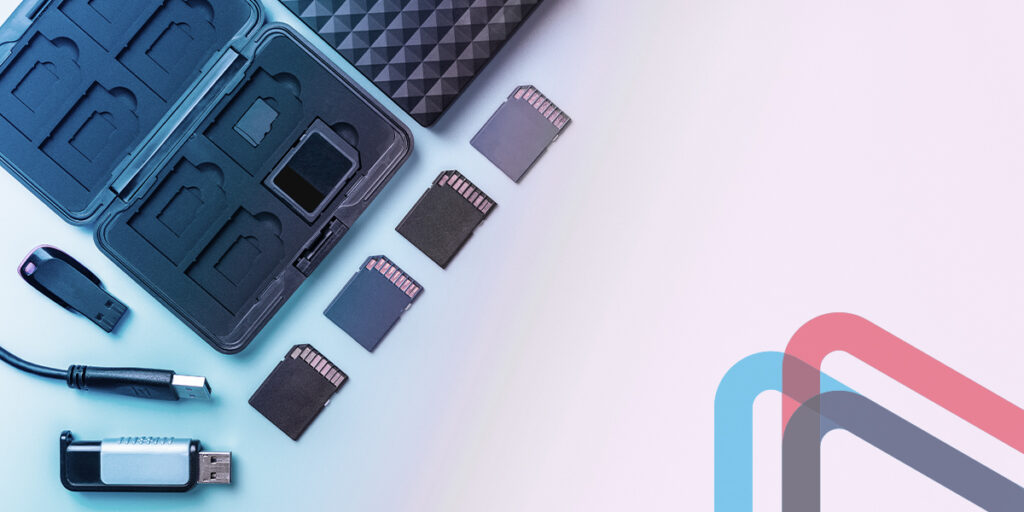
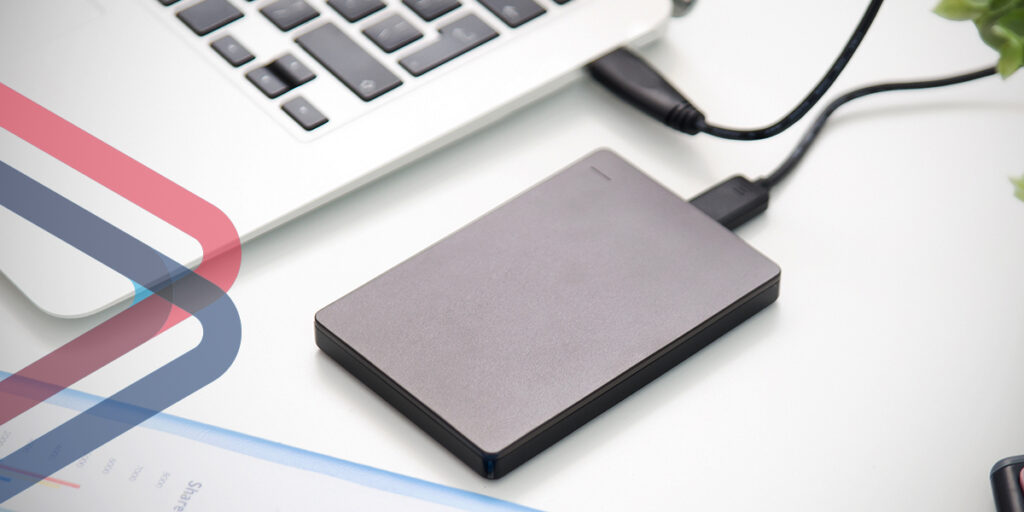
- Copy 2 (local): an external hard drive or a second computer at home
- Copy 3 (off-site): cloud backup
This is enough for most households to recover quickly from device loss, accidental deletion, and hardware failure.
Step-by-step: Set up a simple home backup system
Step 1: Protect your photos and videos first
Family photos and videos are usually the most valuable and the hardest to replace. The best approach is automatic backup so you do not have to remember.
If your household uses iPhones, enable iCloud Photos sync so photos and videos are stored in iCloud and stay available across devices.
If your household uses Android, enable Google Photos backup and choose which folders on your device should be included (camera roll, screenshots, downloads, and so on).
Practical tip: set photo backups to run on Wi-Fi so you avoid using mobile data and so uploads happen steadily in the background.
Step 2: Back up your important documents like you would protect your wallet
Households typically scatter important documents across email attachments, random folders, and phones. That is why they disappear.
Create one simple “Important Documents” folder and keep only essentials there:
- IDs and passports (scans)
- taxes and T4s
- home and auto insurance
- warranties and major receipts
- medical forms you may need quickly
- school records
Then back up that folder in two ways:
- Cloud (off-site copy)
- External drive (local copy)
You do not need to overcomplicate it. You just need your important documents to be easy to find and easy to restore.
Step 3: Back up your computers on a schedule
Photos are not the only risk. Laptops often hold school files, work projects, invoices, and years of small but important documents.
A household-friendly schedule:
- Weekly backup to an external drive
- Always-on cloud sync for key folders like Documents, Desktop, or a “Work and School” folder
If you work from home or run a small business, consider daily backups for your most important folders.
Step 4: Back up access, not just files
Backups fail when people cannot log in.
At minimum, protect your “account recovery chain,” starting with email:
- Turn on two-factor authentication where possible
- Save recovery codes somewhere safe (not only on the device you might lose)
- Avoid reusing passwords
This is not just security advice. It is backup advice. If you lose your email access, recovering everything else becomes much harder.
How often should a household back up
World Backup Day itself emphasizes that a good backup plan is continuous and layered, not a one-day activity.
A simple household rhythm looks like this:
- Daily: automatic phone photo backup
- Weekly: computer backup to external drive
- Ongoing: cloud sync for your most important folders
Common backup mistakes to avoid
The biggest household backup mistakes are predictable:
- Only having one copy (no backup at all)
- Backing up to a drive that is always plugged in (it can fail at the same time as the computer)
- Assuming cloud sync equals backup for every situation
- Not testing a restore even once
- Keeping everything scattered so nothing is easy to recover
The fix is not complicated. You just need a simple system and one routine you repeat.
References and further reading
- World Backup Day official site and FAQ
- 3-2-1 backup strategy overview and definition
- Apple Support: Set up iCloud Photos sync
- Google Support: Back up photos and videos with Google Photos
FAQs
What is the easiest way to back up photos?
Use automatic phone backup. For iPhone, enable iCloud Photos sync. For Android, enable Google Photos backup and choose device folders to include.
Is cloud backup enough by itself?
Cloud is a great off-site layer, but many households benefit from a second copy on a local external drive because it restores faster and protects you if you lose account access. That is why the 3-2-1 method is widely recommended.
Is cloud backup safe and secure?
Cloud backup is generally safe if you use a reputable provider and secure your account properly. Most major services encrypt data in transit and at rest, but your security still depends on you using a strong unique password and turning on two-factor authentication. For extra peace of mind, keep a second copy on an external drive (the 3-2-1 approach) so you are protected even if you lose account access.
What should families back up besides photos?
Start with important documents, school and work folders, and anything needed for account recovery (especially email). Photos are of emotional value. Documents and access are life-admin value.
How often should I back up my computer?
Weekly is a strong baseline for most homes. If your computer changes daily because of work or business files, do daily backups for key folders.
What is the best backup strategy for beginners?
Follow 3-2-1: device copy, external drive copy, cloud copy. It is simple, proven, and realistic for households.
How do I know my backup is working
Pick one file, delete it from your device (or move it), then restore it from your backup. A backup you have never tested is a hope, not a plan.
How much storage do I need for family photo backups?
It depends on how many phones you have and whether you shoot lots of video. A practical approach is to start with enough cloud storage for all phones in the household, then review annually. Video is the biggest driver of storage growth.
The post How To Create a Digital Backup Plan appeared first on MCSnet.
]]>Nothing kills a big moment like the spinning wheel. Whether you are watching live sports, bingeing a new series, or streaming a concert, buffering usually comes down to a few predictable issues: not enough speed for the number of screens, weak Wi-Fi coverage, too many devices competing for bandwidth at the same time or an […]
The post How to Stream Live Sports and Shows Without Buffering appeared first on MCSnet.
]]>
Nothing kills a big moment like the spinning wheel. Whether you are watching live sports, bingeing a new series, or streaming a concert, buffering usually comes down to a few predictable issues: not enough speed for the number of screens, weak Wi-Fi coverage, too many devices competing for bandwidth at the same time or an issue with your streaming service provider.
This guide breaks down what you actually need to stream smoothly and how to avoid buffering while streaming.

How Much Speed Do I Need For Streaming?
Streaming is less about having the highest plan on paper and more about having enough capacity for your household, especially at peak times.
A simple rule is plan your internet so your total streaming demand uses no more than about 70% of your available speed, and has enough bandwidth, leaving room for phones, tablets, updates, and background tasks.
Think of speed and bandwidth as a highway: bandwidth is the number of lanes, allowing more cars (data) to pass simultaneously, while speed is how fast those cars drive.
Here are realistic speeds per-TV resolutions to get you started:
- HD (1080p): 5–10 Megabits per second (Mbps)
- 4K: 20–25 Mbps
- High-motion live sports in 4K: 25–35 Mbps
If two TVs stream 4K at once, that can mean 40–60 Mbps just for those screens, before you count everything else.
The Most Common Reasons Streaming Buffers
Buffering usually shows up when one of these happens:
- Too many devices share the connection at once (multiple streams, downloads, cloud backups).
- Wi-Fi signal is weak where the TV is (distance, walls, interference, router placement).
- Peak-hour congestion makes your usable speed drop in the evening.
- An old router or streaming device struggles with modern bitrates and Wi-Fi standards.
- Background uploads (security cameras, file sync, video calls) choke the connection.
- Weak Wi-Fi coverage or issues with the service provider.
- Issue with your streaming service provider
The Fastest Fixes To Stop Buffering
1) Use Ethernet on the main TV
A wired connection is the most reliable way to prevent buffering, especially during live sports. If you can plug your TV or streaming box into the router, do it.
2) Put your router where it can actually work
Routers hate being hidden. For better coverage:
- Place it in a central area, out in the open, and higher up if possible.
- Keep it away from thick walls, metal shelves, and behind TVs.
- Avoid placing it near microwaves or other electronics that cause interference.
3) Reduce competition during the game or show
Pause large downloads and uploads during live streams. This includes game updates, cloud backups, and large file uploads.
4) Improve coverage, not just speed
If the TV room is far from the router, extra speed will not help much. You need stronger coverage. A mesh system or extender can solve dead zones by bringing Wi-Fi closer to the TV.
5) Update apps and restart your gear
- Update streaming apps and TV firmware
- Restart the router if it has been weeks
- Close unused apps on the TV or streaming device
Streaming Checklist Based On Your Household
- One main TV, mostly streaming
You want enough headroom for evening viewing and normal device use. If you stream 4K often, prioritize stability and Wi-Fi coverage.
- Two TVs streaming at the same time
Plan for higher speeds and consider mesh Wi-Fi. This is where buffering often shows up, even with decent internet.
- Watch parties or heavy-use homes
Multiple streams plus phones and social media can push the network to its limit. Use Ethernet on the main TV and pause background downloads.
How To Follow Live Sports And Shows Without Missing Key Moments
For sports, buffering often hits at peak moments because many people are streaming at once. A few habits help:
- Start the stream 10 minutes early so the app settles into a stable quality level.
- If your stream looks blurry, give it a moment. Many services ramp up quality after the first seconds.
- If buffering persists, drop from 4K to HD. The experience is often smoother with minimal quality loss on smaller screens.
How MCSnet Can Help You Enjoy Your Streaming Buffer-Free
Make every game and every show a smooth streaming experience with MCSnet. Get the right package for your home and business streaming needs, and smarter Wi-Fi router setups that keep every screen steady.
Frequently Asked Questions About Streaming
Why does streaming buffer even when my internet speed is “fast”?
Because speed to your modem is not the same as speed to your TV. Wi-Fi interference, router placement, and competing devices are usually the real cause.
Is 100 Mbps enough for streaming?
For one or two HD streams, usually yes. For multiple 4K streams plus other devices, you may need more headroom and better Wi-Fi coverage. Learn more on this blog.
Is 50 Mbps enough for streaming?
It can be enough for one 4K stream or several HD streams, as long as Wi-Fi is strong and the home is not uploading heavily at the same time. For two 4K TVs at once, 50 Mbps can feel tight. Learn more on this blog.
What matters more, download or upload speed?
Download matters most for watching streams. Upload matters when your home is also uploading a lot (cloud backups, cameras, video calls). Heavy upload can cause buffering.
What internet speed do I need for streaming?
For most homes, 5–10 Mbps per HD stream and 20–25 Mbps per 4K stream is a solid target. If you stream on multiple TVs at once, add those numbers together and leave extra room for phones, laptops, and background activity.
How much speed do I need for live sports streaming?
Live sports often look best with more headroom because fast motion needs higher bitrate. Aim for 10 Mbps for HD sports and 25–35 Mbps for 4K sports on the main screen, especially during peak evening hours.
What is a good internet speed for a family that streams a lot?
If your household streams on multiple screens, a common comfortable range is 150–300 Mbps, paired with good Wi-Fi coverage. The exact number depends on how many TVs stream in 4K and how many devices are active at once.
Does streaming use more download speed or upload speed?
Streaming uses mostly download. Upload becomes important if you are also doing video calls, live streaming, cloud backups, or running security cameras that upload clips while you watch.
What upload speed do I need to prevent buffering?
For a smoother home network, aim for at least 10 Mbps upload if your household does video calls, uses cloud storage, or has cameras. Low upload can cause stuttering when the network is busy.
Does Wi-Fi speed affect streaming quality?
Yes. Even with a fast plan, weak Wi-Fi can force the stream to lower quality or buffer. The fix is often router placement, mesh Wi-Fi, or wiring the main TV with Ethernet.
Do I need mesh Wi-Fi for streaming?
If your TV is far from your router or you have dead zones, mesh Wi-Fi can be a game changer. It improves coverage so your TV receives a stable signal, which is often more important than upgrading your plan.
Where should I place my router for best streaming?
Place it central, open, and elevated, away from thick walls, large metal objects, and electronics that interfere. Avoid hiding it in a cabinet or behind the TV.
Why does streaming buffer at night but not during the day?
Evenings are peak usage times. Networks can be more congested, and your home Wi-Fi is also busier. This is when Ethernet, QoS settings, and pausing background downloads make the biggest difference.
Does Ethernet really stop buffering?
Often, yes. Ethernet removes Wi-Fi interference and gives your streaming device a stable connection, which is especially helpful for live sports and 4K content.
Why does my smart TV buffer but my phone streams fine?
Phones are often closer to the router and can switch Wi-Fi bands more effectively. Smart TVs may be farther away, stuck on 2.4 GHz, or using older Wi-Fi standards. A mesh node near the TV or Ethernet usually fixes this.
How can I reduce buffering without upgrading my plan?
Improve Wi-Fi coverage, use Ethernet, reduce interference, pause background downloads, restart the router regularly, and lower the stream from 4K to HD during peak times.
How do I know if buffering is my internet or the streaming service?
Test another app. If all apps buffer, it is likely your home network. If only one app buffers, it may be the service or the device. Also test on a second device like a phone or tablet.
How much data does streaming use and can it cause throttling?
Streaming can use a lot of data, especially in 4K. If your plan has a cap, heavy streaming can push you into slower speeds or extra fees depending on the provider. Unlimited plans remove the stress of monitoring usage.
The post How to Stream Live Sports and Shows Without Buffering appeared first on MCSnet.
]]>MCSnet is fortunate to receive funding from the Universal Broadband Fund (UBF) and Alberta Broadband Fund (ABF) to serve another 3,401 homes and businesses with fiber optics — a total project cost of over $31 M. The official announcement was made on January 30, 2026 at the Ardrossan Recreation Centre with the Honourable Buckley Belanger, […]
The post MCSnet Receives UBF Funding for Over 30 Fiber Communities appeared first on MCSnet.
]]>
MCSnet is fortunate to receive funding from the Universal Broadband Fund (UBF) and Alberta Broadband Fund (ABF) to serve another 3,401 homes and businesses with fiber optics — a total project cost of over $31 M.
The official announcement was made on January 30, 2026 at the Ardrossan Recreation Centre with the Honourable Buckley Belanger, Secretary of State for Rural Development, together with the Honourable Nate Glubish, Minister of Technology and Innovation of Alberta.
The Communities within the MCSnet service area to benefit are: Chipman, Fawcett, Birch Cove, Lac La Nonne, Lac La Biche (Lakeview Estates, Greenbank Estates, Sunset Bay), Larkspur, Lavoy, Lottie Lake, Lower Mann Lake, Upper Mann Lake, Pelican Narrows, Bonnyville Beach (and other select areas of Moose Lake), Muriel Lake, Nakamun Park, Ardrossan (Gun Mannor and Pleasant View), Little Johnson Lake, Ranfurly, Streamstown (Silver Willow and Ravine View), Rossian, Mewatha Beach, Bondiss, Thunder Lake, Vimy, Horseshoe Bay, Vincent Lake, White Gull, Edberg, Heisler, Killam, and Braim.
As a company rooted in St. Paul, AB, we have a personal stake in seeing our neighbors succeed. This funding isn’t just a line item on a balance sheet—it’s a catalyst that deepens our commitment to the communities we call home. We are invested in this province, and we’re excited to continue building the infrastructure that keeps rural Alberta connected.” – Jerome VanBrabant, Chief Projects Officer, MCSnet
Preliminary meetings between the municipalities being served and MCSnet have been taking place over the past few months for design and planning purposes. Mainline fiber construction began along Highway 13 in the summer of 2025, and within the MD of Bonnyville, late 2025. Projects must be completed by March, 2027.
Information letters regarding Fiber-to-the-Home (FTTH) services are currently being mailed to notify eligible property owners. Additional details about this process can be found on the MCSnet website.
MCSnet made the application to the Alberta Broadband Fund/Universal Broadband Fund in late 2024 for any areas that the department of Innovation, Science and Economic Development Canada (ISED) deemed eligible. Many of the locations are lake properties that are difficult to serve wirelessly because of the trees and terrain.
Since 2012, MCSnet has successfully secured six grant applications, with these previous projects enabling the local, family-owned company to bring high-speed internet to rural and remote communities in Northeastern Alberta and parts of Saskatchewan. The company’s success in these applications is due to its efficiency in completing projects and its innovative use of the latest technology to deliver internet services.
To date, MCSnet has received over $34 M in grant funding and has invested $27 M of its own funds as part of these grant programs to improve internet speeds for over 36,000 homes and businesses in Northeastern Alberta.
MCSnet started delivering Fiber-to-the-Home services in Mallaig, Fort Kent, and Cherry Grove in 2019. It has also completed a project in the Hamlet of Thorhild and it is currently finishing its Fiber-to-the-Home project in the MD of Bonnyville that was announced in 2024.
Associated Links
- Government of Canada Announces Recipients for UBF
- Government of Canada Press Release
- 2024 MCSnet UBF Announcement
- Thorhild and MD of Bonnyville FTTH UBF Announcement
- Universal Broadband Fund Webpage
- High-speed internet for all Canadians
For Media Inquiries:
Rhonda Lafrance
Chief Marketing Officer, MCSnet
1-866-390-3928
rhonda@corp.mcsnet.ca
The post MCSnet Receives UBF Funding for Over 30 Fiber Communities appeared first on MCSnet.
]]>Is high-speed internet finally coming to my rural home? If you live in rural Alberta, you’ve likely asked this question for years. You’ve seen the press releases and heard the promises, often while watching a “buffering” wheel spin on your screen. But 2026 is different. This is the year the rubber meets the road—or rather, […]
The post Connecting the Countryside: What the 2026 Connectivity Targets Mean for Rural Alberta appeared first on MCSnet.
]]>
Is high-speed internet finally coming to my rural home?
If you live in rural Alberta, you’ve likely asked this question for years. You’ve seen the press releases and heard the promises, often while watching a “buffering” wheel spin on your screen.
But 2026 is different. This is the year the rubber meets the road—or rather, the year the fiber meets the tower.
The Government of Canada has set a hard target: to connect 98% of Canadians to high-speed internet by 2026. For those of us outside the city limits, this isn’t just a policy goal; it’s a lifeline. But what does “high-speed” actually mean in 2026, and how is MCSnet making sure your community isn’t part of the 2% left behind?
Here is your progress report on rural connectivity.
The “98%” Promise: A New Standard
For a long time, “high-speed” was a vague term. However, ten years ago, a specific definition was created: 50 Mbps download and 10 Mbps upload (often called “50/10 speeds”).
In 2026, this is the absolute minimum standard for modern life. It’s what you need to run a Zoom call without freezing, stream Netflix in HD, or upload agricultural data to the cloud. The federal government’s Universal Broadband Fund (UBF) was created to help ISPs like us hit this target.
At MCSnet, we believe that aiming for the “minimum” isn’t enough for Alberta. While the government targets 50 Mbps, we are building networks capable of up to 940 Mbps (1 Gigabit).
Why? Because technology doesn’t stand still. The internet you need for today’s 4K streaming is different from what you’ll need for tomorrow’s precision farming or telehealth services. We aren’t just building for 2026; we’re building for 2036.
How We Are Getting There: It’s Not Just Cables in the Ground
The biggest challenge in rural Alberta is geography. Trenching fiber-optic cables to every single acreage and farmhouse is incredibly expensive and slow—especially when the ground is frozen for half the year.
If we relied only on buried fiber, many of you would still be waiting in 2030 and beyond.
That’s why MCSnet pioneered GigAir. Think of it as “fiber through the air.”
- How it works: We run high-capacity fiber lines or licensed, wireless links to our towers (that’s the “backbone”). Then, using advanced GigAir and other high-speed, wireless technology, we beam that signal wirelessly to a small receiver on your home or business.
- The Result: You get fiber-like speeds (up to 940 Mbps) without anyone having to dig up your driveway.
This technology allows us to deploy faster and reach further than traditional, large telcos.
Boots on the Ground: Progress in Your Community
We don’t just talk about expansion; we’re out there doing it. Over the past 5 years, we’ve aggressively expanded our network thanks to our own private investment and partnerships with the Universal Broadband Fund.
- Innovation in Mind: We have not only launched GigAir in over 80 towns, villages, and hamlets, we are now launching super fast speeds across the countryside with the goal of upgrading the majority of our towers by the end of 2026.
- Community Spotlights: We are currently lighting up high-speed zones in communities like Ardrossan, Barrhead, Bon Accord, Bonnyville, Cold Lake, Gibbons, Lac La Biche, Lloydminster, Morinville, Redwater, St. Paul, Vermilion, Vegreville, Wainwright, Westlock, and Wetaskiwin. These also include the rural municipalities surrounding these communities.
- Investing in Home: To date, MCSnet has secured millions in funding that goes directly into hardware and infrastructure for our service area—not Calgary or Edmonton.
Beyond 2026: Why Speed Matters
Why do we push for Gigabit speeds when the government only asks for 50 Mbps? Because rural Alberta deserves the same opportunities as the big cities.
- For the Economy: It allows local businesses to compete globally and farmers to use autonomous machinery.
- For Families: It means your kids can game online with their friends without lagging, and you can video chat with the grandkids in crystal clear quality.
- For Safety: It ensures reliable access to emergency alerts and telehealth appointments, allowing seniors to age in place comfortably.
Check Your Tech
If you haven’t checked your internet options in the last six months, you might be surprised by what’s available. Thousands of homes that were previously in “dead zones” or stuck on slow legacy plans are now eligible for GigAir and other high-speed fixed wireless technology.
Don’t settle for slow. Check your address today.
The post Connecting the Countryside: What the 2026 Connectivity Targets Mean for Rural Alberta appeared first on MCSnet.
]]>